简单位置控制教程
本教程将演示如何利用 Unity 场景中的动态游戏对象来控制Inverse3 设备光标的位置,并基于《入门指南》中介绍的概念进行说明。
导言
Inverse3 设备支持两种控制模式: 力控制 et 位置控制.
前者根据光标的位置调整力度,而后者则直接操控光标的位置。
本教程沿用了 动态场景中的力反馈教程,重点在于使用 CursorSetPosition 在该方法中 FixedUpdate 以便设备的光标能够跟踪移动中的游戏对象。
场景设置
请以该文档中描述的场景配置为基础, 动态场景中的力反馈教程,其中包括一个 触觉装置 并选择一个游戏道具 移动球 由组件控制 MovableObject.
SpherePositionControl 组件的实现
更换该部件 球体力反馈 关于游戏对象 移动球 通过一个名为 SpherePositionControl.cs.
在该类中定义以下属性 SpherePositionControl :
public Inverse3 inverse3;
public float minSyncDistance = 0.05f;
private bool _isCursorSynchronized;
- inverse3 : 指在检查器中定义的设备组件Inverse3 。
- minSyncDistance:触发光标同步的最小距离阈值。
- _isCursorSynchronized:指示器,用于指定光标的移动是否与“移动球”同步。
同步逻辑
根据“移动球”的距离,实现用于启动和停止光标同步的方法:
private void StartSynchronizeCursor()
{
    var cursorPosition = inverse3.Cursor.transform.position;
    GetComponent<MovableObject>().SetTargetPosition(cursorPosition, teleport: true);
    _isCursorSynchronized = true;
}

private void StopSynchronizeCursor()
{
    _isCursorSynchronized = !inverse3.Release();
}
在这里,我们使用
MovableObject.SetTargetPosition(position, teleport:true),它将传送 移动球 在光标所在的位置。
Update 和 FixedUpdate 方法
在该方法中 Update, 根据光标与之间的距离,启用或禁用光标同步功能 移动球 :
private void Update()
{
    var distance = Vector3.Distance(inverse3.CursorPosition, transform.position);
    if (!_isCursorSynchronized && distance <= minSyncDistance)
    {
        StartSynchronizeCursor();
    }
    else if (_isCursorSynchronized && distance > minSyncDistance)
    {
        StopSynchronizeCursor();
    }
}
Dans FixedUpdate, 更新光标位置,使其与 移动球 如果同步功能已启用:
private void FixedUpdate()
{
    if (_isCursorSynchronized)
    {
        inverse3.SetCursorPosition(transform.position);
    }
}
请使用 FixedUpdate 方法,以确保位置控制能够以稳定的帧率运行,而不受图形渲染性能的影响。
初始化
Dans Awake(), 请确保该 移动球 从Inverse3 设备能够到达的位置开始,无论其位于哪一侧:
private void Awake()
{
    inverse3.Ready.AddListener(device =>
    {
        GetComponent<MovableObject>().SetTargetPosition(((Inverse3)device).WorkspaceCenterLocalPosition, teleport: true);
    });
}
游戏体验
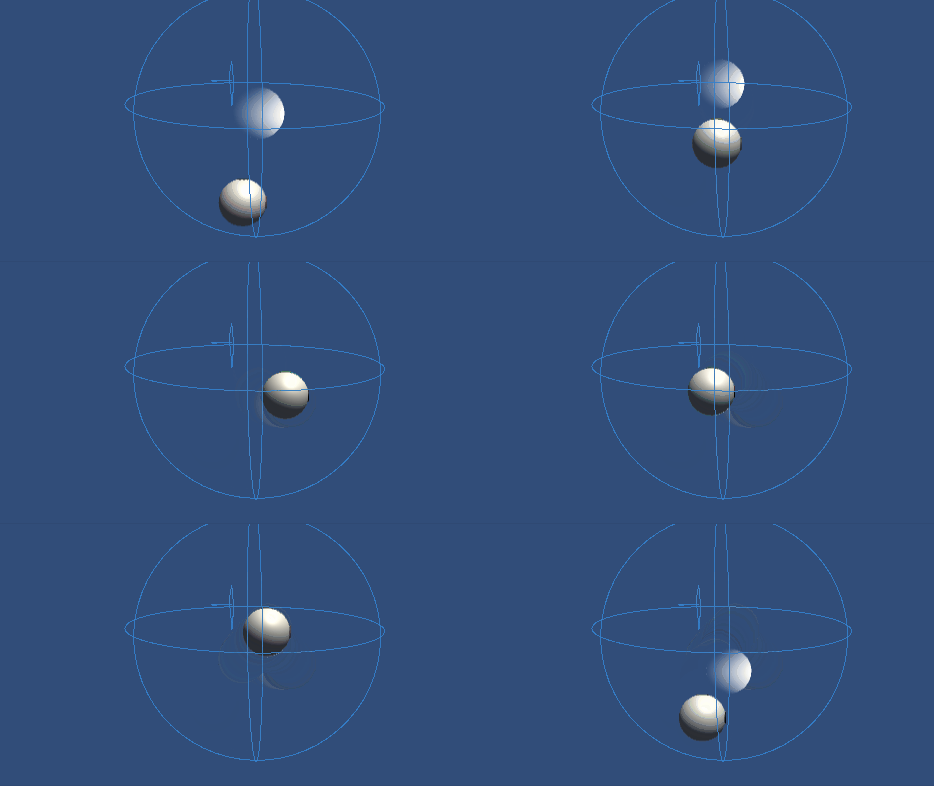
将Inverse3 设备固定好,并确保其周围有足够的空间。 启用“播放模式”并将光标移近“移动球”后,Inverse3 设备将跟随“移动球”的移动。 可通过键盘输入来移动“移动球”,这展示了光标跟踪其位置的能力。
源文件
本教程的完整场景及相关文件均位于示例中 教程 Unity 的包管理器。
其中包括脚本 MovableObject,该方法在多个示例中被用于通过键盘输入来控制游戏角色的移动。
SpherePositionControl.cs
/*
 * Copyright 2024 Haply Robotics Inc. All rights reserved.
 */

using Haply.Inverse.DeviceControllers;
using Haply.Samples.Tutorials.Utils;
using UnityEngine;

namespace Haply.Samples.Tutorials._5_SimplePositionControl
{
    /// <summary>
    /// Controls the Inverse3 cursor position based on the current position of this GameObject.
    /// When the GameObject is within a specified distance from the cursor, it initiates synchronized control,
    /// allowing the cursor to follow the GameObject's movements.
    /// </summary>
    [RequireComponent(typeof(MovableObject))]
    public class SpherePositionControl : MonoBehaviour
    {
        public Inverse3Controller inverse3;

        [Tooltip("Minimum distance required to initiate synchronized control between this GameObject and the Inverse3 cursor.")]
        [Range(0, 1)]
        public float minSyncDistance = 0.05f;

        private bool _isCursorSynchronized;

        private void Awake()
        {
            // Ensure inverse3 is set, finding it in the scene if necessary.
            inverse3 ??= FindFirstObjectByType<Inverse3Controller>();

            // When inverse3 is ready, so the handedness is defined
            inverse3.Ready.AddListener((device, args) =>
            {
                // Teleport the sphere to its workspace center to ensure it can be reached,
                // regardless of whether the device is left or right-handed. This ensures the GameObject starts in a
                // position that is accessible by the Inverse3 device.
                GetComponent<MovableObject>().SetTargetPosition(device.WorkspaceCenterLocalPosition, teleport:true);
            });
        }

        private void OnDisable()
        {
            // Ensure movement synchronization is disabled when the component is disabled.
            StopSynchronizeCursor();
            inverse3.Release();
        }

        private void Update()
        {
            if (!inverse3.IsReady)
            {
                return;
            }
            // Calculate the distance between the Inverse3 position and this object's position.
            var distance = Vector3.Distance(inverse3.CursorPosition, transform.position);

            // Enable synchronized movement if within the minimum sync distance and not already synced.
            if (!_isCursorSynchronized && distance <= minSyncDistance)
            {
                StartSynchronizeCursor();
            }
            // Disable synchronized movement if outside the minimum sync distance and currently synced.
            else if (_isCursorSynchronized && distance > minSyncDistance)
            {
                StopSynchronizeCursor();
            }
        }

        private void FixedUpdate()
        {
            if (_isCursorSynchronized)
            {
                // If in sync, set the Inverse3 cursor position to this object's position.
                inverse3.SetCursorPosition(transform.position);
            }
            else
            {
                inverse3.ProbeCursorPosition(true);
            }
        }

        private void StartSynchronizeCursor()
        {
            // Get the current cursor position.
            var cursorPosition = inverse3.Cursor.transform.position;

            // Teleport this object to the cursor position to avoid a sudden jump when position control starts.
            GetComponent<MovableObject>().SetTargetPosition(cursorPosition, teleport:true);

            // Start synchronizing the movement of this object with the cursor.
            _isCursorSynchronized = true;
        }

        private void StopSynchronizeCursor()
        {
            // Stop synchronizing the movement.
            _isCursorSynchronized = !inverse3.Release();
        }
    }
}