力反馈入门教程
本教程将指导您创建一个集刚度与阻尼于一体的基础力反馈仿真,以模拟与静态物体(如球体)接触时的物理特性。 完成本教程后,您将获得一个模拟,通过它您可以感知到球体的存在,并根据不同的触觉体验调整其刚度和阻尼属性。
导言
本教程的主要挑战在于开发一个函数,该函数能够计算与同时具有刚度和 阻尼特性的球体接触时产生的合力。 在此情境下,刚度起着弹簧的作用:物体被压缩得越厉害,产生的力就越大。 而阻尼则代表物体对运动的阻力:物体移动得越快,阻尼产生的阻力就越大。
场景设置
请按照《》中的说明,首先配置一个 Haptic Rig。 指南《入门指南》,同时确保其位置、旋转和缩放比例 触觉起源 分别定义为 (0, 0, 0) et (1, 1, 1).
接下来,创建一个名为 Sphere 具有以下特性:
- 职位 :
(0, 0, -0.1)(距离相机前方约10厘米处) - 比例尺:
(0.2, 0.2, 0.2)(相当于直径为20厘米的球体)
强制返回脚本
向 GameObject 添加一个新的 C# 脚本 球体 被任命为 SphereForceFeedback.cs.
该脚本将计算光标Inverse3 与球体接触时所受的力,同时考虑刚度和阻尼。
请使用以下属性初始化该脚本:
[SerializeField]
private Inverse3 inverse3;

[Range(0, 800)]
public float stiffness = 300f;
[Range(0, 3)]
public float damping = 1f;

private Vector3 _ballPosition;
private float _ballRadius;
private float _cursorRadius;
力值的计算应仅在光标进入球体时进行,以模拟触摸具有特定刚度和阻尼的物理物体时的触感。
该方法 ForceCalculation 将负责执行此任务,同时兼顾光标的当前位置和移动速度:
private Vector3 ForceCalculation(Vector3 cursorPosition, Vector3 cursorVelocity, float cursorRadius,
    Vector3 otherPosition, float otherRadius)
{
    var force = Vector3.zero;

    var distanceVector = cursorPosition - otherPosition;
    var distance = distanceVector.magnitude;
    var penetration = otherRadius + cursorRadius - distance;

    if (penetration > 0)
    {
        // Normalize the distance vector to get the direction of the force
        var normal = distanceVector.normalized;

        // Calculate the force based on penetration
        force = normal * penetration * stiffness;

        // Apply damping based on the cursor velocity
        force -= cursorVelocity * damping;
    }

    return force;
}

private void OnDeviceStateChanged(object sender, Inverse3EventArgs args)
{
    var inverse3 = args.DeviceController;
    // Calculate the ball force
    var force = ForceCalculation(inverse3.CursorLocalPosition, inverse3.CursorLocalVelocity,
        _cursorRadius, _ballPosition, _ballRadius);

    inverse3.SetCursorLocalForce(force);
}
在该方法中 Awake, 初始化 _ballPosition, _ballRadius et _cursorRadius 要配置场景数据:
private void SaveSceneData()
{
    var t = transform;
    _ballPosition = t.position;
    _ballRadius = t.lossyScale.x / 2f;

    _cursorRadius = inverse3.Cursor.Radius;
}

private void Awake()
{
    SaveSceneData();
}
请务必完成提醒功能的注册和注销 OnDeviceStateChanged 在方法中 OnEnable et OnDisable,分别用于在交互过程中正确处理力反馈:
protected void OnEnable()
{
    inverse3.DeviceStateChanged += OnDeviceStateChanged;
}

protected void OnDisable()
{
    inverse3.DeviceStateChanged -= OnDeviceStateChanged;
}
游戏体验
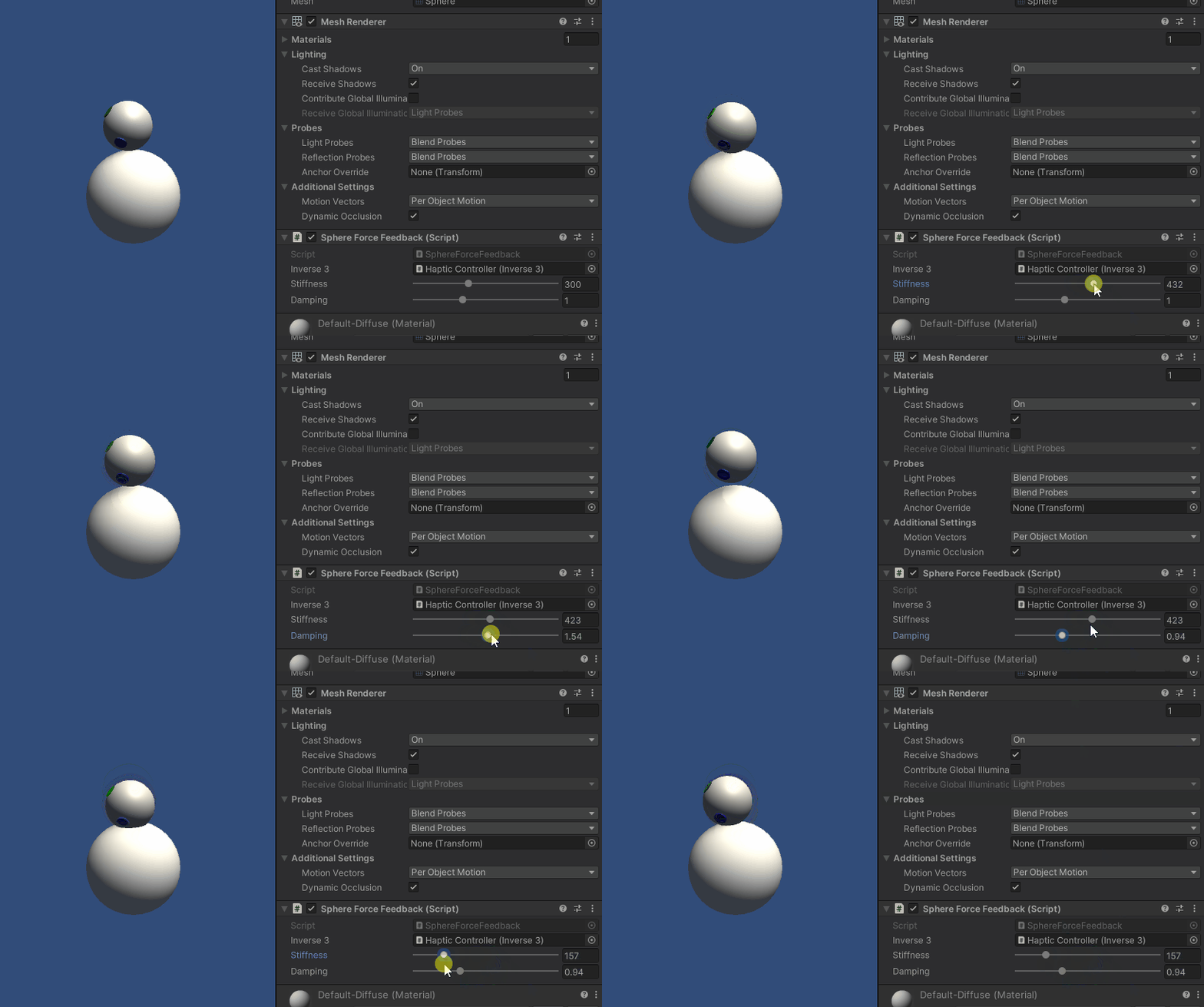
按住光标Inverse3 ,切换到“播放模式”,然后尝试触碰该球体。 你应该能够感知到球体的存在,并可通过 Unity 的“检查器”调整其刚度和阻尼属性,从而获得与虚拟物体互动的真实触感。
源文件
该示例的完整场景及所有相关文件均可从 Unity包管理器的 “Tutorials”示例中导入。
SphereForceFeedback.cs
/*
 * Copyright 2024 Haply Robotics Inc. All rights reserved.
 */

using Haply.Inverse.DeviceControllers;
using Haply.Inverse.DeviceData;
using UnityEngine;

namespace Haply.Samples.Tutorials._2_BasicForceFeedback
{
    public class SphereForceFeedback : MonoBehaviour
    {
        public Inverse3Controller inverse3;

        [Range(0, 800)]
        // Stiffness of the force feedback.
        public float stiffness = 300f;

        [Range(0, 3)]
        public float damping = 1f;

        private Vector3 _ballPosition;
        private float _ballRadius;
        private float _cursorRadius;

        /// <summary>
        /// Stores the cursor and sphere transform data for access by the haptic thread.
        /// </summary>
        private void SaveSceneData()
        {
            var t = transform;
            _ballPosition = t.position;
            _ballRadius = t.lossyScale.x / 2f;

            _cursorRadius = inverse3.Cursor.Radius;
        }

        /// <summary>
        /// Saves the initial scene data cache.
        /// </summary>
        private void Awake()
        {
            inverse3 ??= FindObjectOfType<Inverse3Controller>();
            inverse3.Ready.AddListener((device, args) => SaveSceneData());
        }

        /// <summary>
        /// Subscribes to the DeviceStateChanged event.
        /// </summary>
        private void OnEnable()
        {
            inverse3.DeviceStateChanged += OnDeviceStateChanged;
        }

        /// <summary>
        /// Unsubscribes from the DeviceStateChanged event.
        /// </summary>
        private void OnDisable()
        {
            inverse3.DeviceStateChanged -= OnDeviceStateChanged;
            inverse3.Release();
        }

        /// <summary>
        /// Calculates the force based on the cursor's position and another sphere position.
        /// </summary>
        /// <param name="cursorPosition">The position of the cursor.</param>
        /// <param name="cursorVelocity">The velocity of the cursor.</param>
        /// <param name="cursorRadius">The radius of the cursor.</param>
        /// <param name="otherPosition">The position of the other sphere (e.g., ball).</param>
        /// <param name="otherRadius">The radius of the other sphere.</param>
        /// <returns>The calculated force vector.</returns>
        private Vector3 ForceCalculation(Vector3 cursorPosition, Vector3 cursorVelocity, float cursorRadius,
            Vector3 otherPosition, float otherRadius)
        {
            var force = Vector3.zero;

            var distanceVector = cursorPosition - otherPosition;
            var distance = distanceVector.magnitude;
            var penetration = otherRadius + cursorRadius - distance;

            if (penetration > 0)
            {
                // Normalize the distance vector to get the direction of the force
                var normal = distanceVector.normalized;

                // Calculate the force based on penetration
                force = normal * penetration * stiffness;

                // Apply damping based on the cursor velocity
                force -= cursorVelocity * damping;
            }

            return force;
        }

        /// <summary>
        /// Event handler that calculates and send the force to the device when the cursor's position changes.
        /// </summary>
        /// <param name="sender">The Inverse3 data object.</param>
        /// <param name="args">The event arguments containing the device data.</param>
        private void OnDeviceStateChanged(object sender, Inverse3EventArgs args)
        {
            var inverse3 = args.DeviceController;
            // Calculate the ball force
            var force = ForceCalculation(inverse3.CursorLocalPosition, inverse3.CursorLocalVelocity,
                _cursorRadius, _ballPosition, _ballRadius);

            inverse3.SetCursorLocalForce(force);
        }
    }
}